Mountain Project App Redesign

Collaborators: Archie Forrest

Fall 2025

Summary

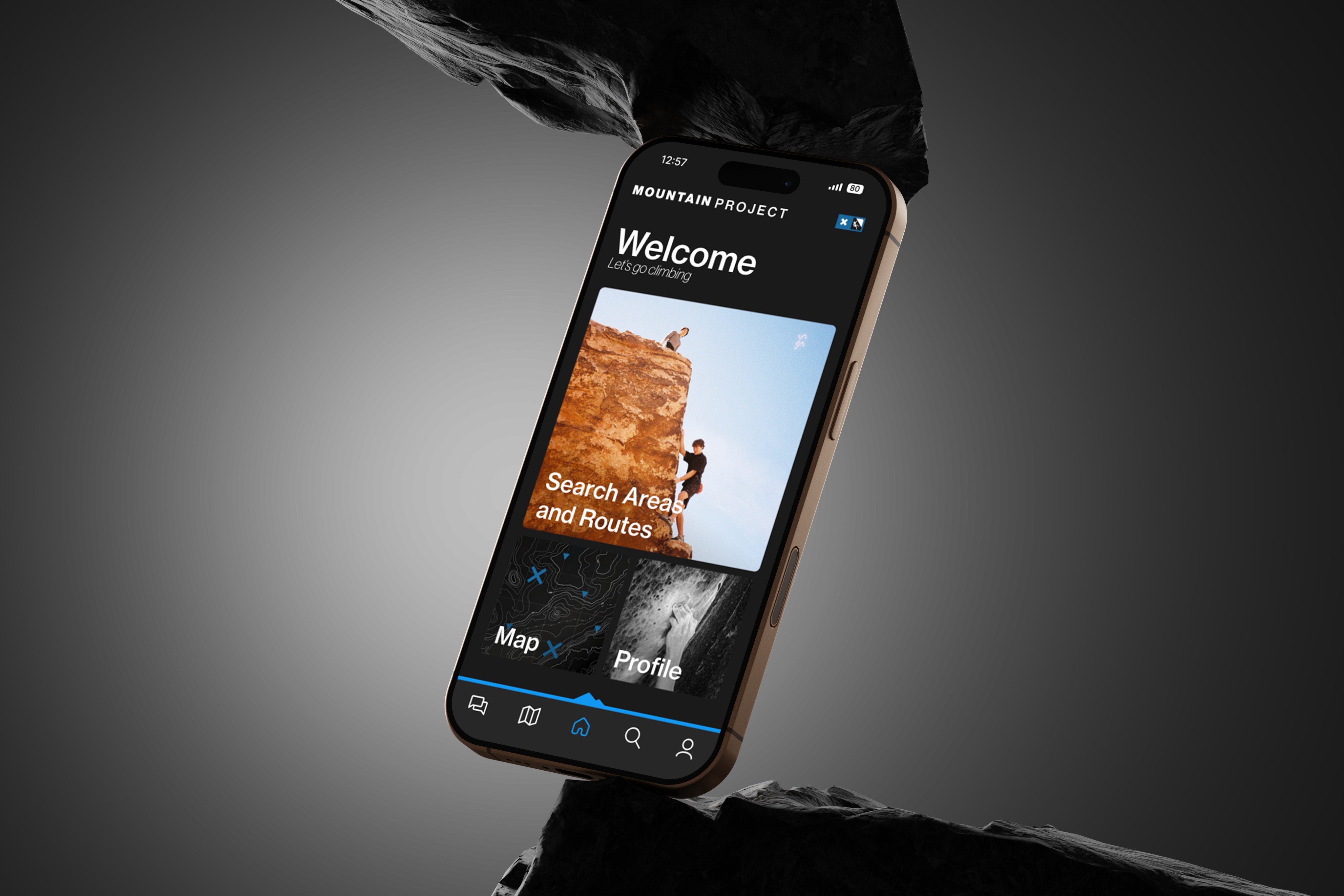
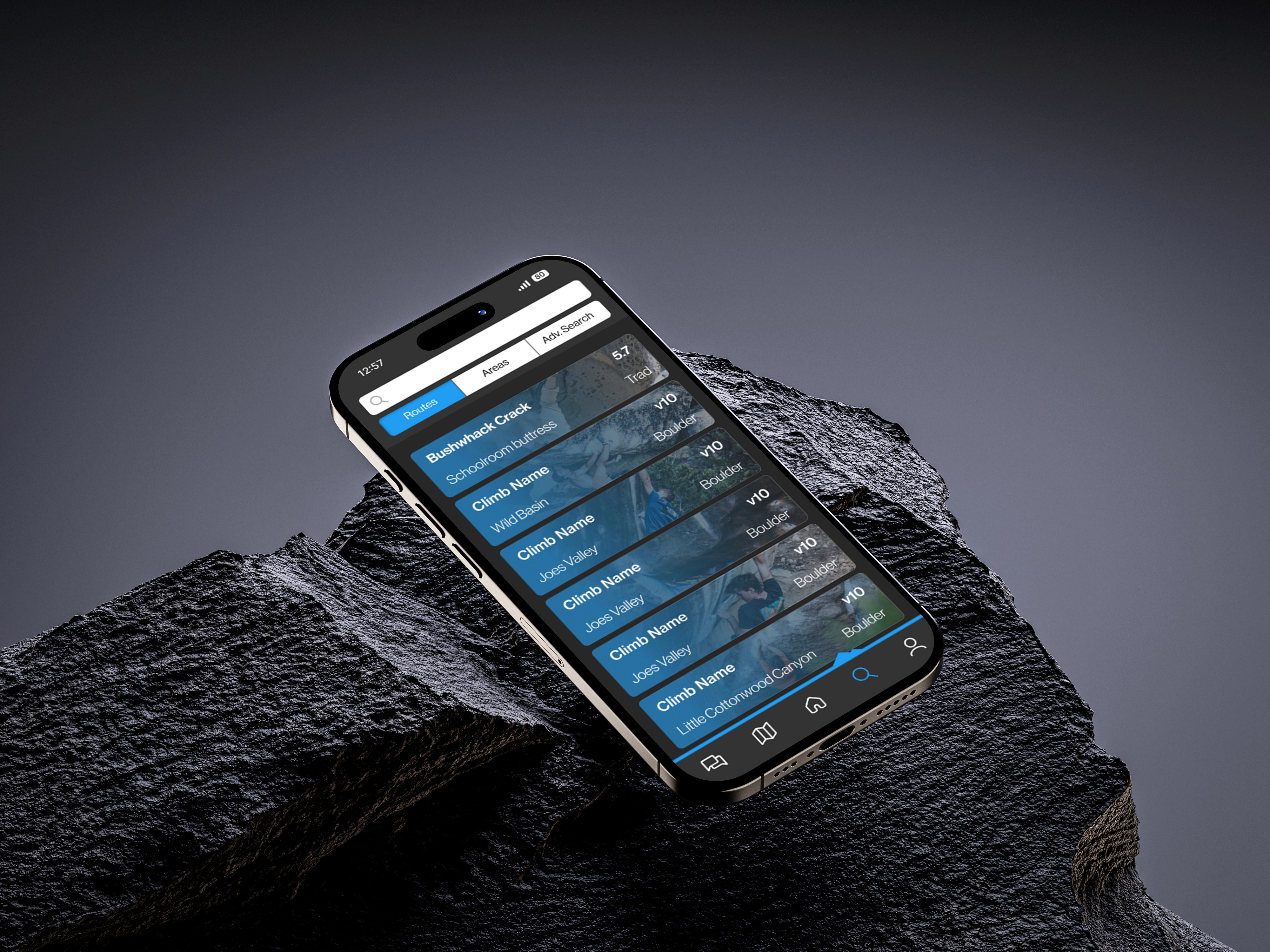
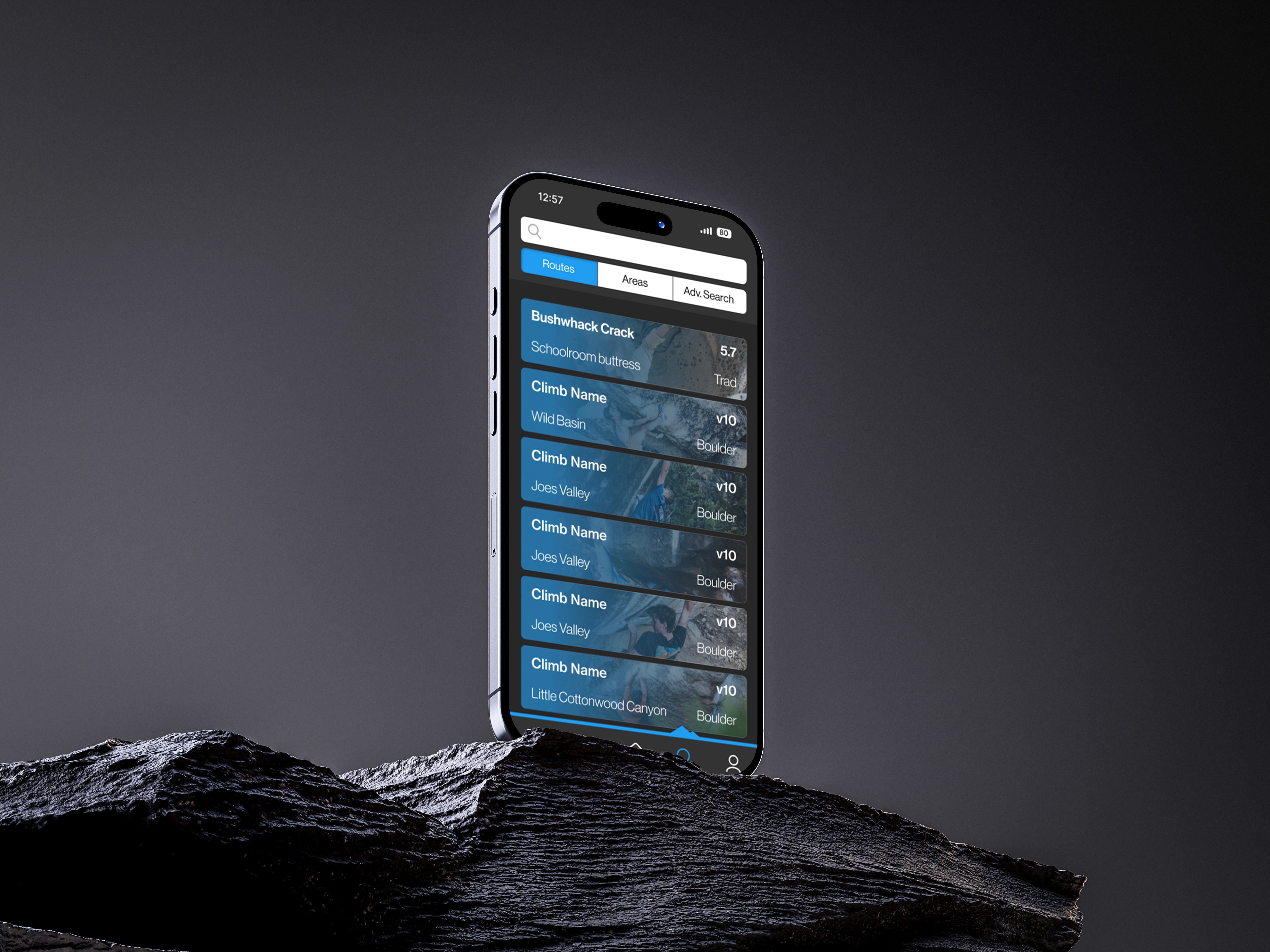
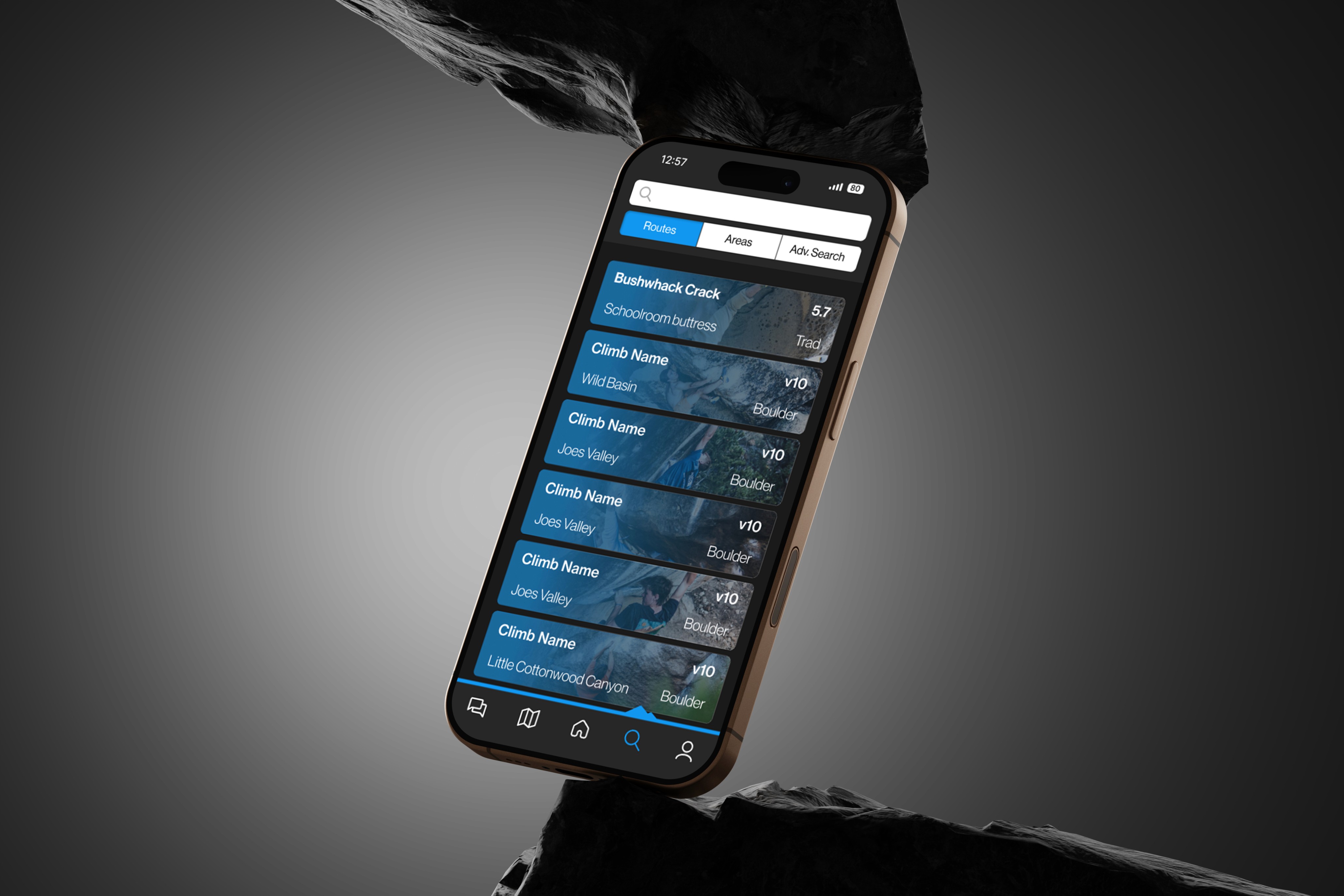
The goal of this project was to elevate both the usability and the visual fidelity of the Mountain Project app. Rather than a blanket reskin, I focused the redesign on high-impact user flows. I developed an updated visual identity and applied it strategically to these core paths, validating the improvements through user testing to ensure the new look supported a smoother, more intuitive experience.

Mountain Project

Mountain Project is a digital guidebook app and public forum made for rock and ice climbers. Currently, Mountain Project is its in-class leader for online guide services and websites.
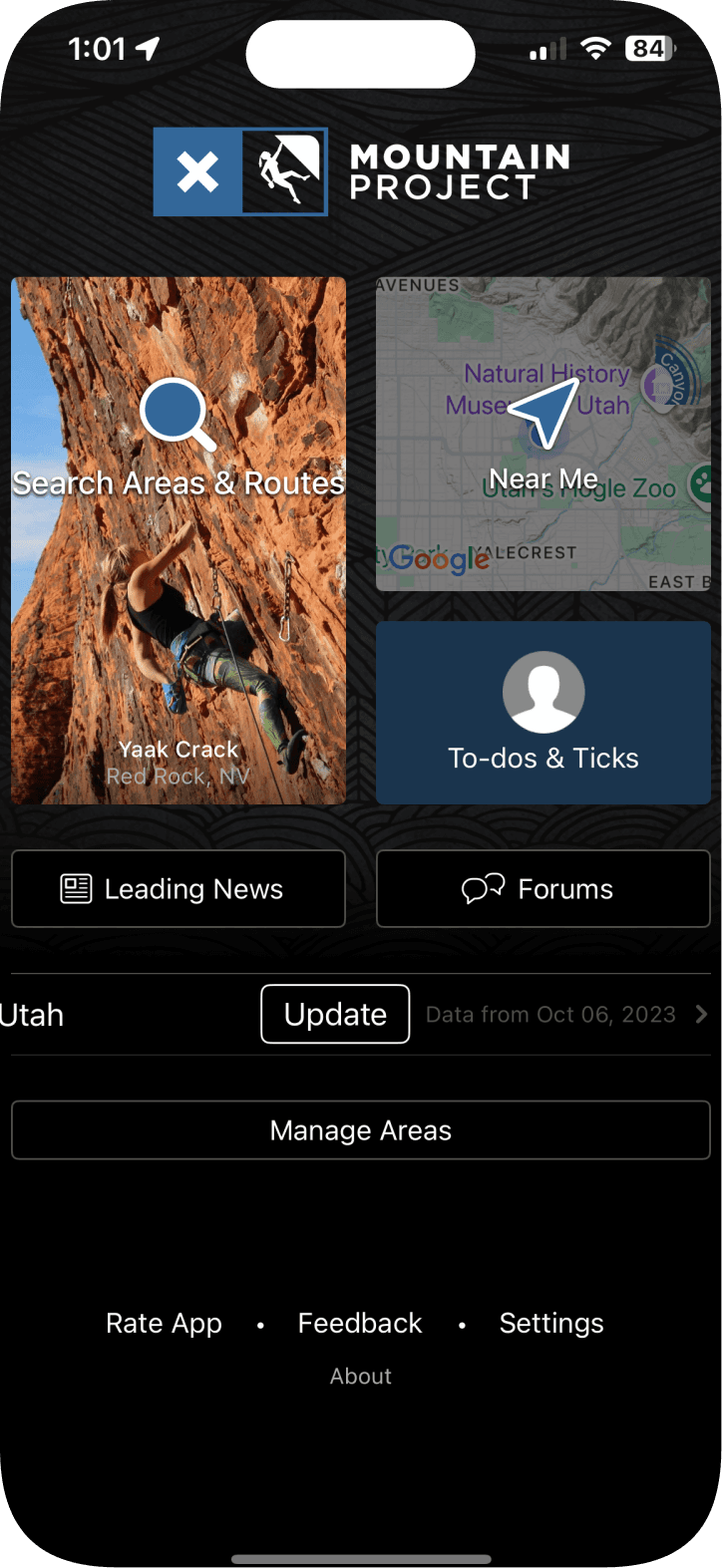
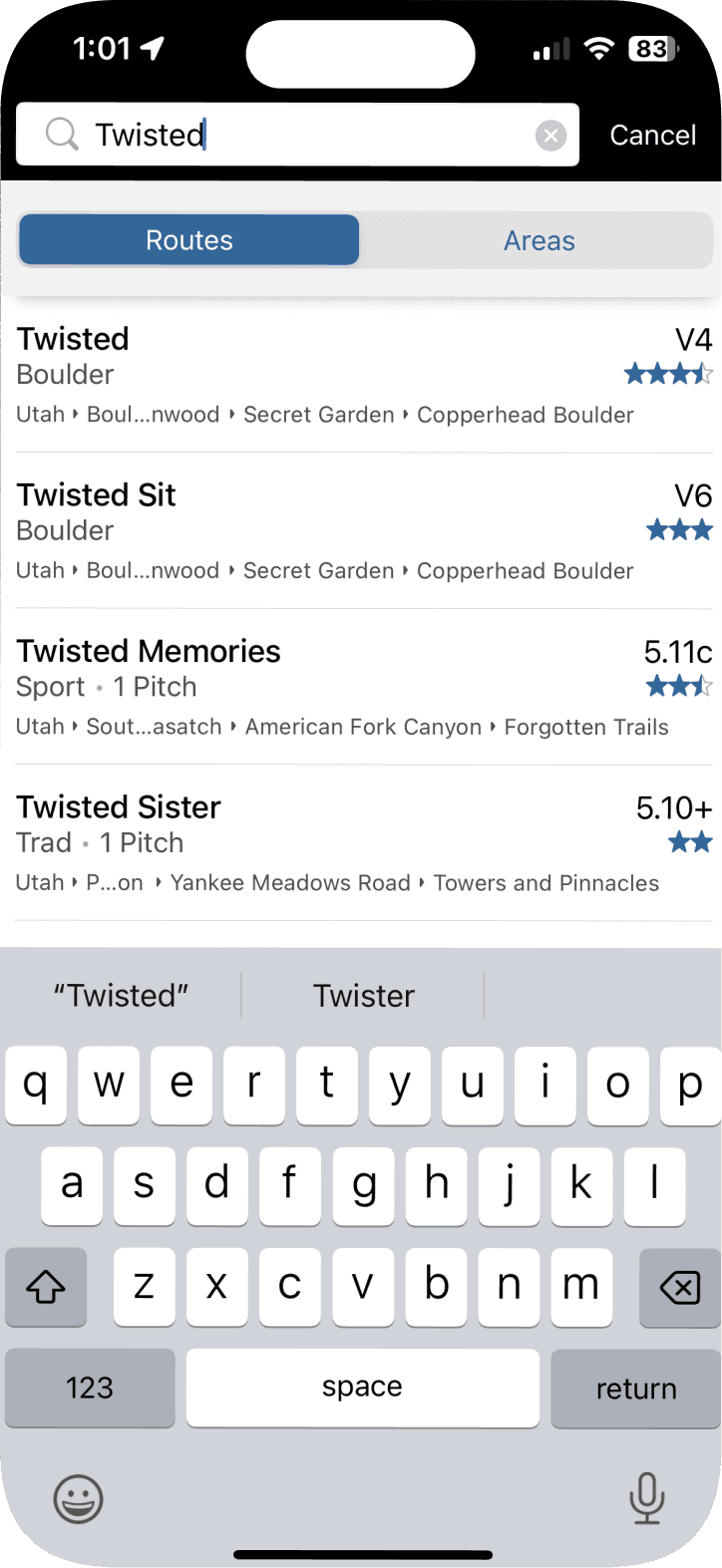
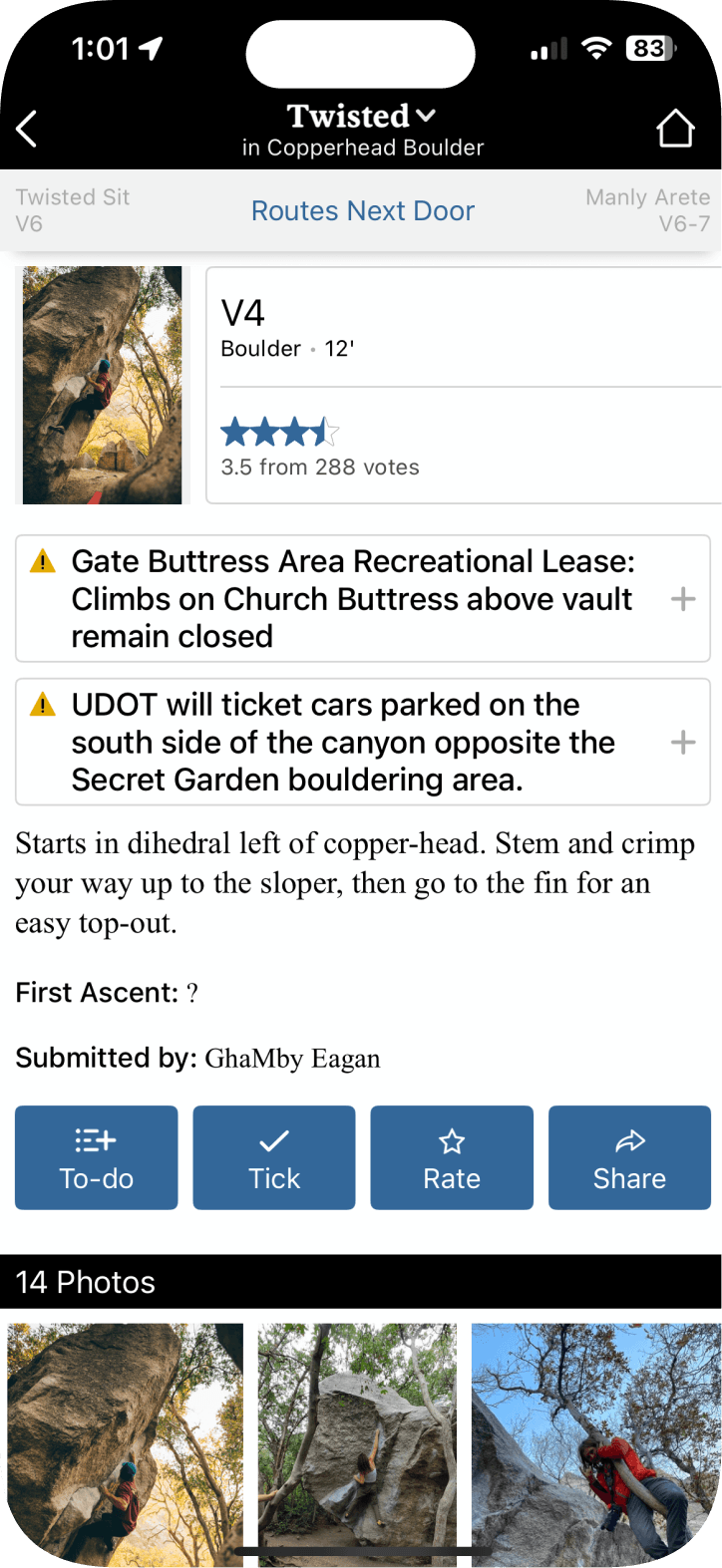
Current App

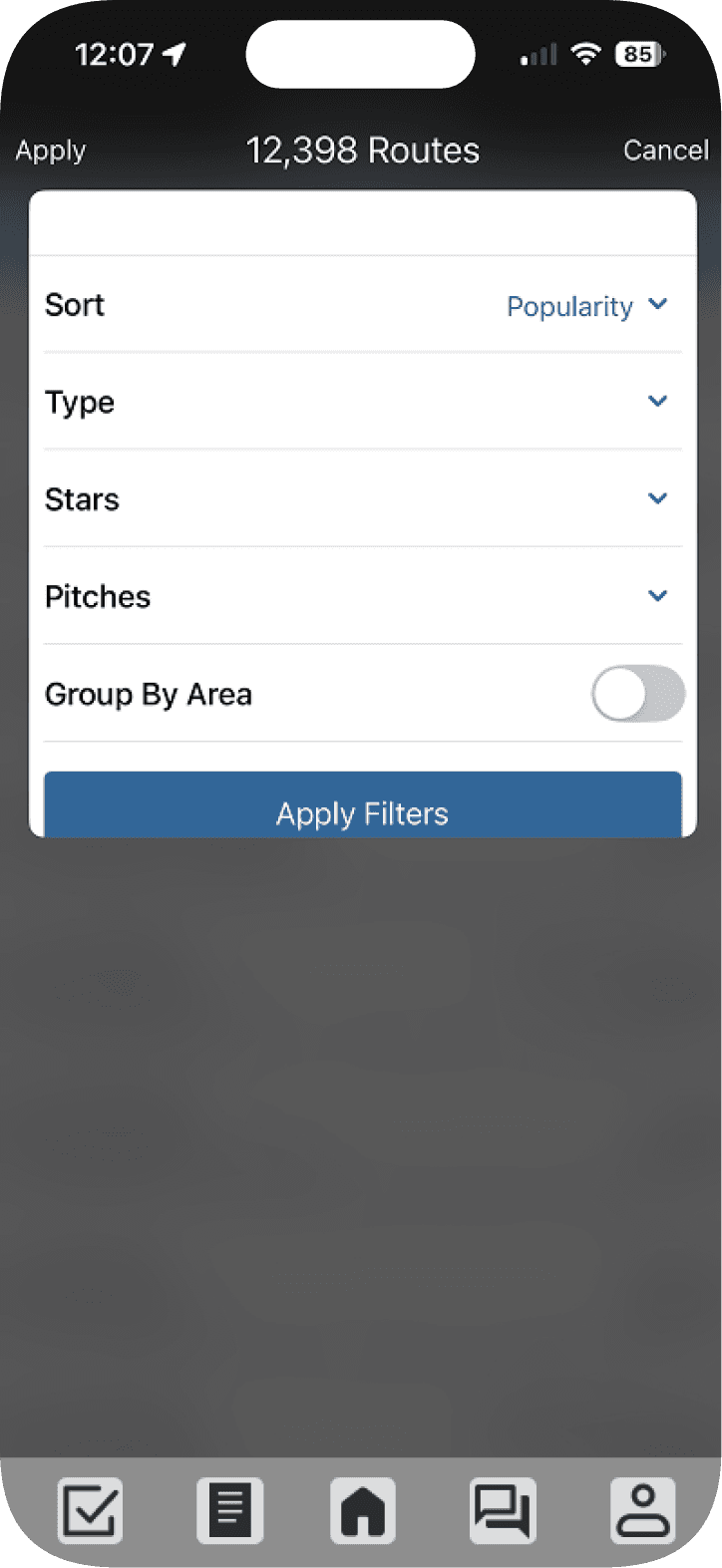
This is the current Mountain Project app. The UI feels outdated, cluttered, and lacks visual hierarchy.

Current App

This is the current Mountain Project app. The UI feels outdated, cluttered, and lacks visual hierarchy.

User Testing

Research Approach

We tested a diverse user body, ranging from completely new users to highly experienced daily users.

Task 1:

Search for and identify the route “Coffin Crack” located in Little Cottonwood Canyon.

Task 2:

Locate and use the “Adv. search/Route finder” function.

Sarah Arête | The experienced climber

This user is an experienced climber who has been at it for over 10 years. She has consistently used the Mountain Project app and is very experienced with it.

Pain Points

  • The search results lack any sort of spell correction

  • The search results are not ordered based on proximity

John Jug | The first time climber

This user is someone who has never climbed before. Since they are new to climbing, they have never used the Mountain Project App before.


Pain Points

  • The look of the app feels very outdated

  • The advanced search function was very difficult to find

Mike Cam | The trad dad

This user is an experienced climber who has been doing it for decades. All his life he has used traditional physical guide books, but he has started to try out Mountain Project in more recent years.

Pain Points

  • Lack of adequate visual to help find the correct climb

  • Was unable to locate the advanced search function

Sarah Arête | The experienced climber

This user is an experienced climber who has been at it for over 10 years. She has consistently used the Mountain Project app and is very experienced with it.

Pain Points

  • The search results lack any sort of spell correction

  • The search results are not ordered based on proximity

John Jug | The first time climber

This user is someone who has never climbed before. Since they are new to climbing, they have never used the Mountain Project App before.


Pain Points

  • The look of the app feels very outdated

  • The advanced search function was very difficult to find

Mike Cam | The trad dad

This user is an experienced climber who has been doing it for decades. All his life he has used traditional physical guide books, but he has started to try out Mountain Project in more recent years.

Pain Points

  • Lack of adequate visual to help find the correct climb

  • Was unable to locate the advanced search function

Mid Fidelity Wireframe

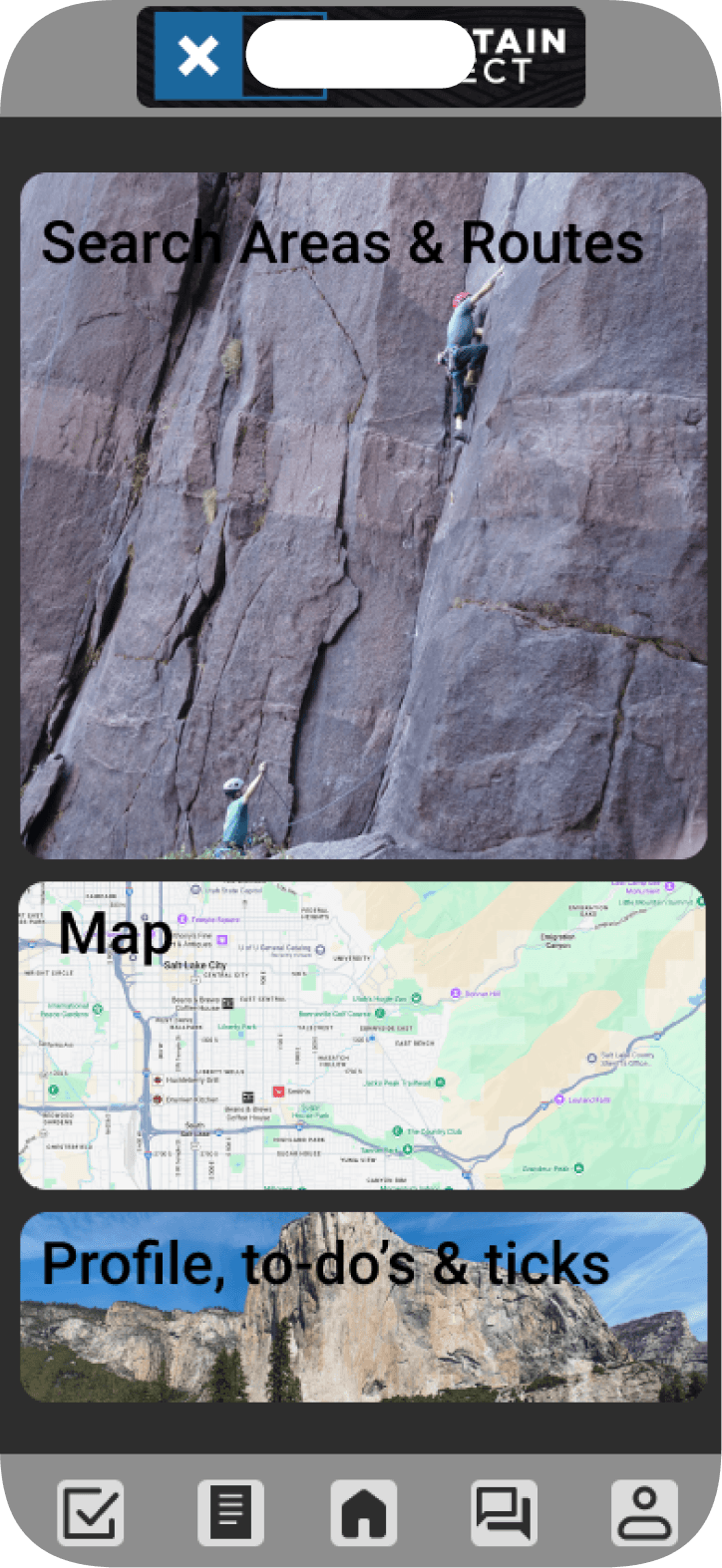
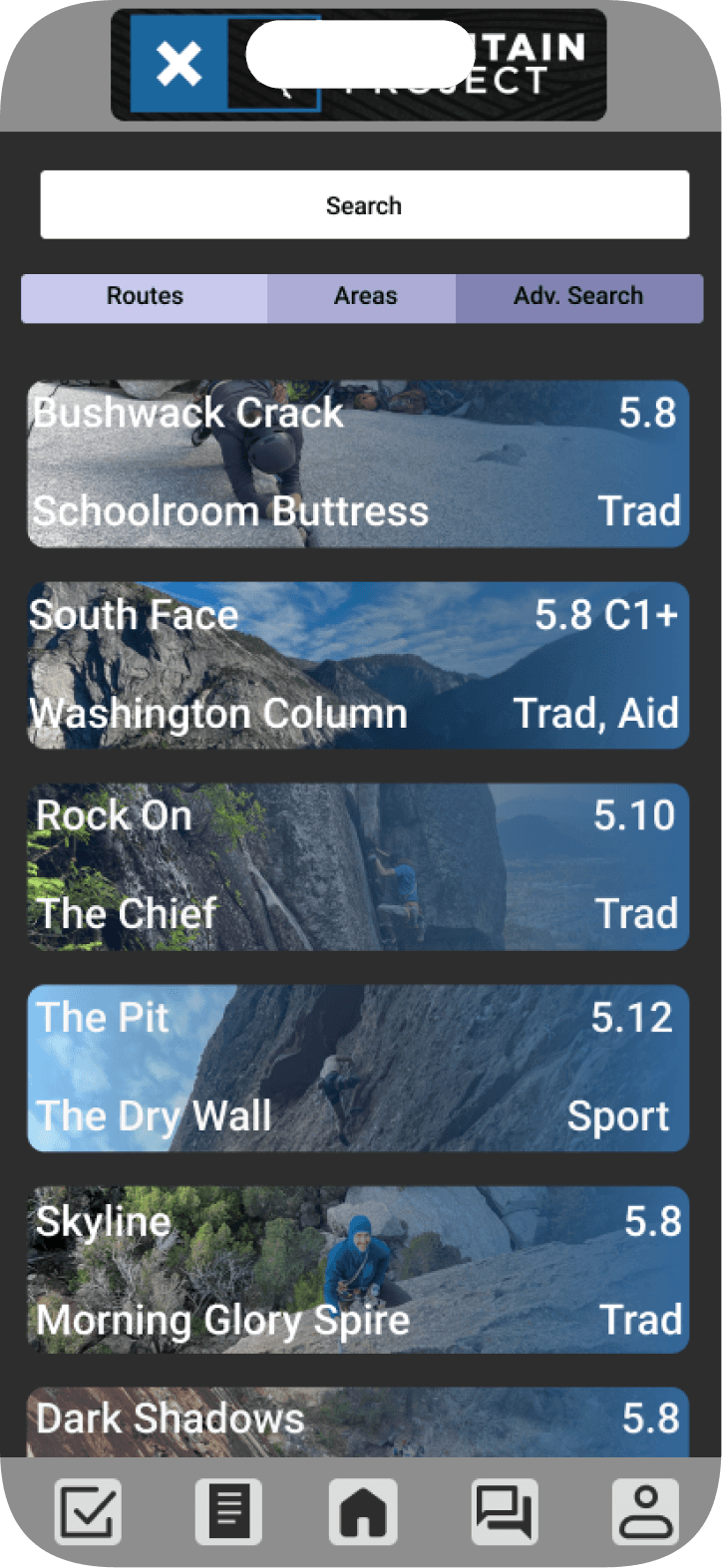
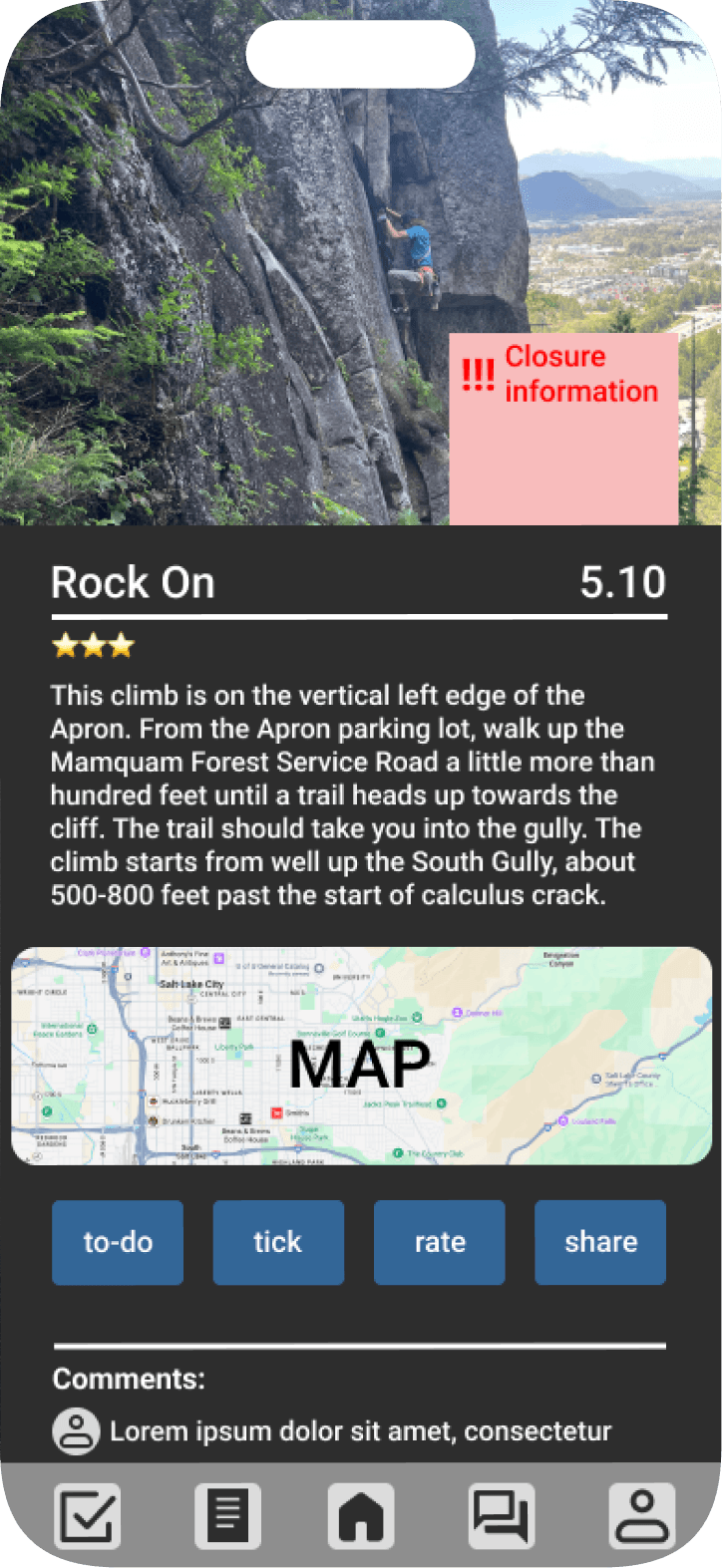
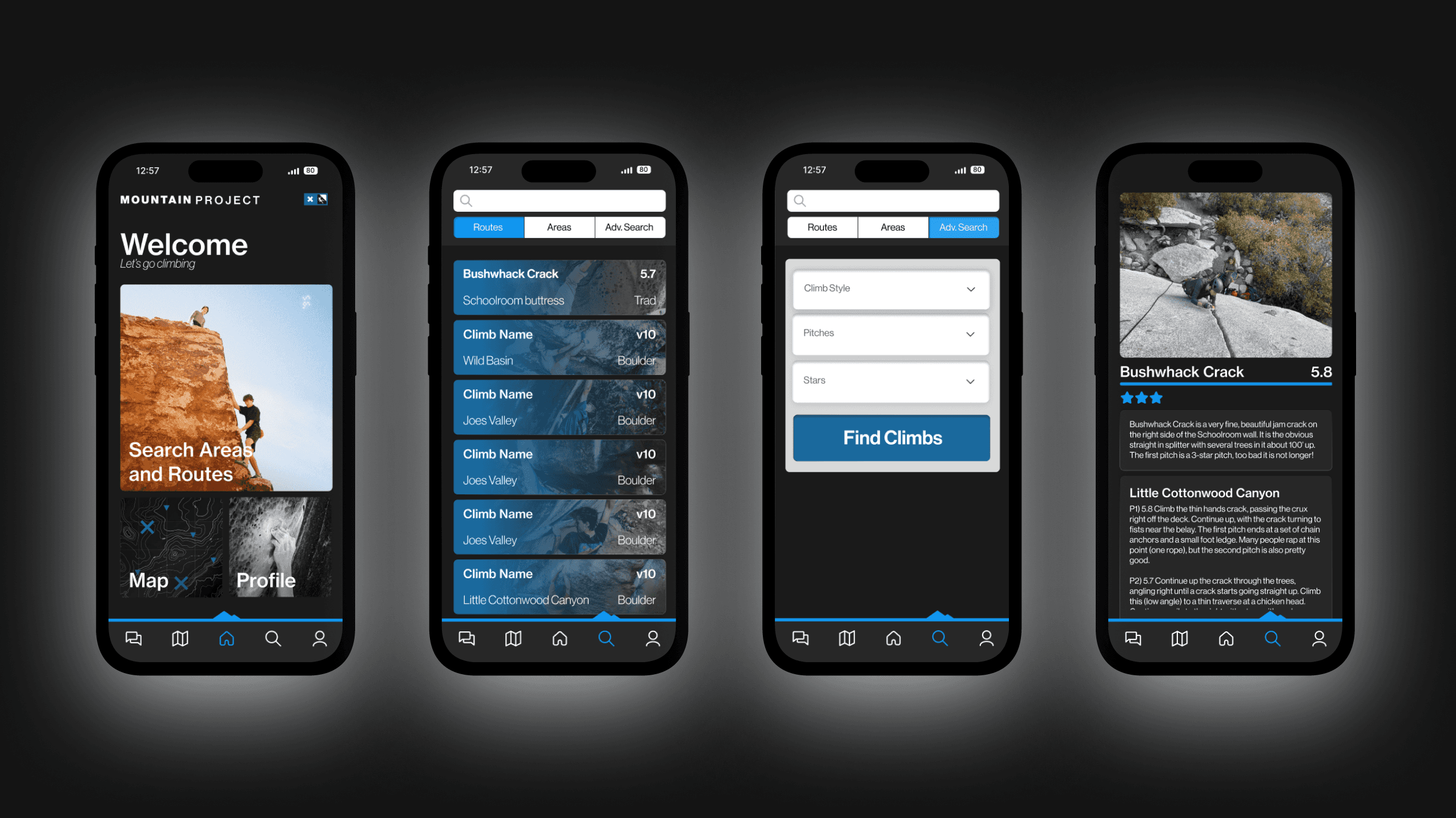
Our mid fidelity wireframe aimed to tackle the main pain points in a simple manner. We improved the chunking, visual hierarchy, and started to play with the overall updated aesthetic.

Mid Fidelity Wireframe

Our mid fidelity wireframe aimed to tackle the main pain points in a simple manner. We improved the chunking, visual hierarchy, and started to play with the overall updated aesthetic.

Mid Fidelity Wireframe

Our mid fidelity wireframe aimed to tackle the main pain points in a simple manner. We improved the chunking, visual hierarchy, and started to play with the overall updated aesthetic.

Round 2 User Testing

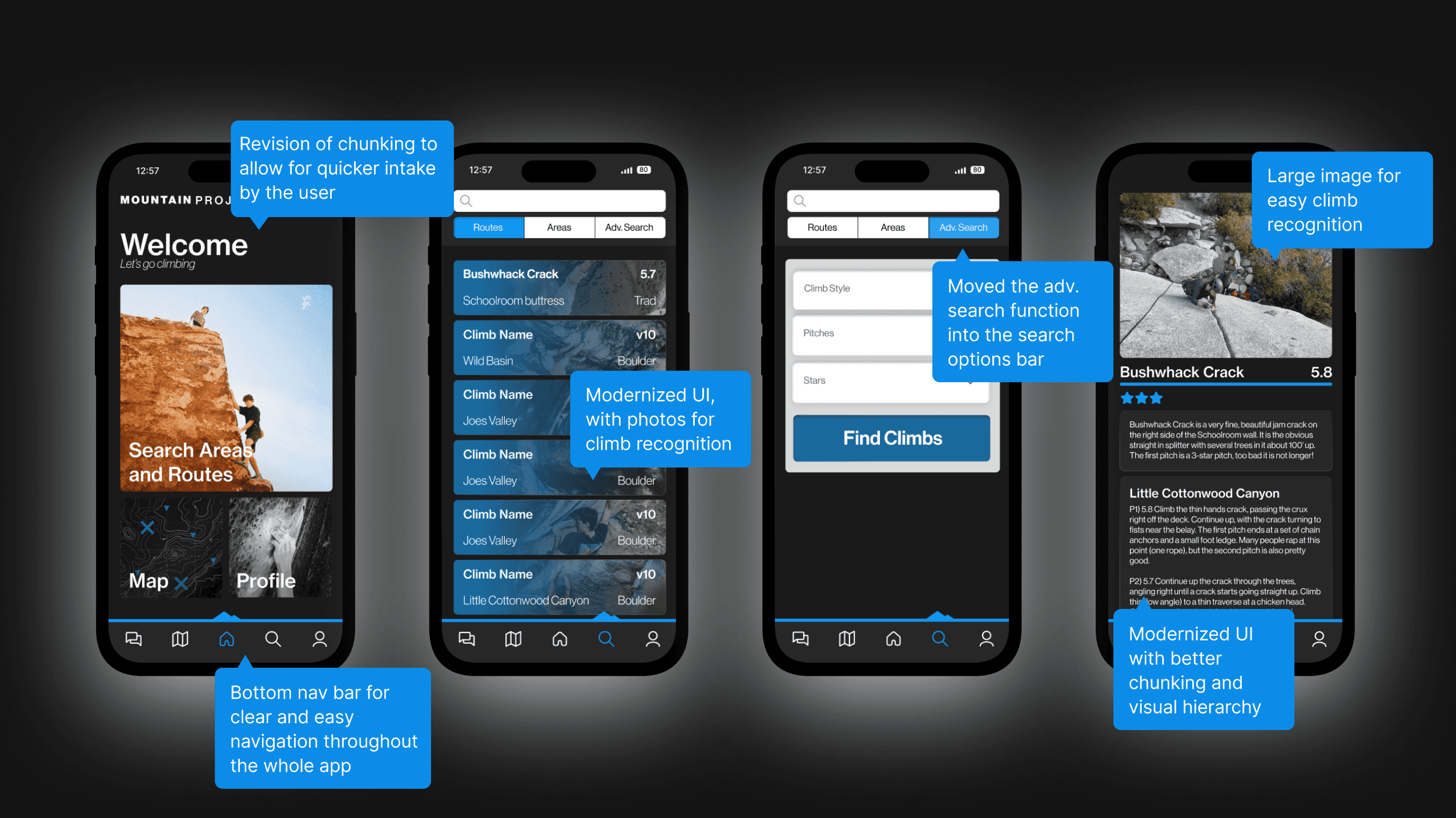
We tested our mid-fidelity prototype with our users a second time. The goal was to see if our prototype fixed some of the pain points that users had experience with the original app. From this we confirmed that the UI changes where welcomed and moving the adv. search function into the search options bar was an intuitive and well received change.

Task 1 Completion time: 23 seconds down to 16 seconds

Task 1 Completion time:

23 seconds down to 16 seconds

Task 2 Completion time: 2 minutes down to 18 seconds

Task 2 Completion time:

2 minutes down to 18 seconds

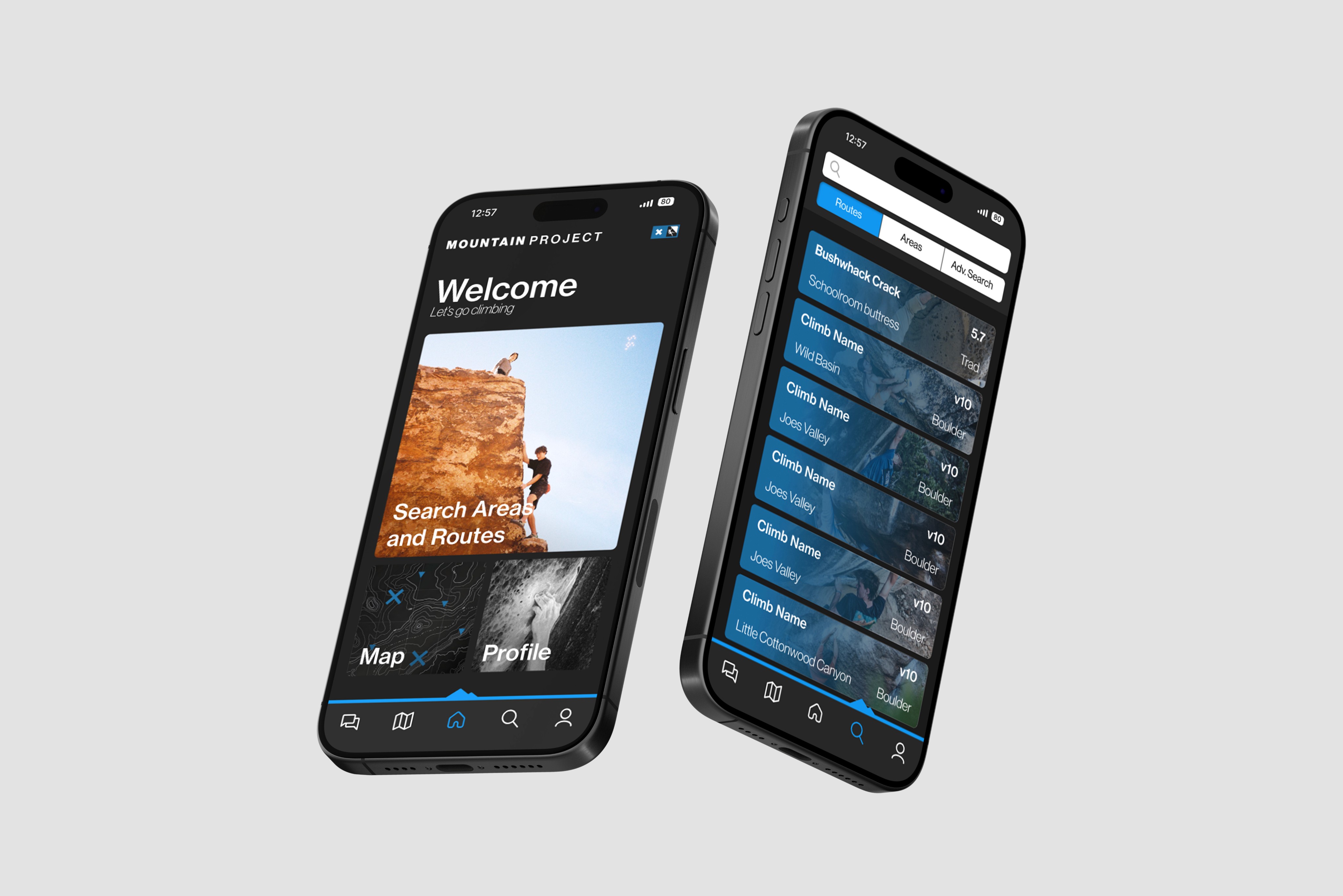
Final Redesign